viernes, 22 de febrero de 2013

Foro de Desarrolladores
Fuente : http://www.stratos-ad.com/forums/index.php
Foro de Desarrolladores Flash
Fuente: http://www.stratos-ad.com/forums/index.php?board=52.0
Comparison between SIO2 1.4 and Unity3D iPhone 1.7 Basic --> 2010
.....
SIO2 1.4:
PROS: -Totally focused on programming, are you a C/C++ programmer? then you would love to make your functions and work with this engine.
-The workflow is based on blender, so you need to create your scene/models with blender or export to it, and then export the scene into the sio2 format.
-You can access physics, sounds and some other things with this engine.
-You can do whatever game with sio2 and thanks to the C core you can add your own functions to access iphone capabilities like the ipod player, the camera or any other specific capabilites. Of course you need to program this yourself, either using obj-c or C/C++.
-All the sio2 functions are really easy to understand and the sio2animation is really powerful to have access to animated models without waste a lot of performance.
-The exporter from blender allows you to choose between gl_triangles or gl_triangle_strip, this is really important for the iphone.
-The tutorials will get you through the point in no time.
CONS:-The 2D part is really crappy, just like unity, one 2d texture means 1 draw call, also the access to 2d widgets is not very intuitive.
-Don't support 16 bits textures or PVRTC textures.
-The audio is handled by openAL, this means you have no control over phone calls, or ipod library, so your game will ignore those 2 things and if you receive a phone call your game will loose the music until you exit the game and load it again.
-The physics are really heavy, you need to do your best to optimise the scene and try to avoid the physics as much as you can to get acceptable framerates.
Unity 1.7
PROS: -The assets pipeline is really awesome, you can use any 3d software out there, the engine support both 16bits textures and PVRTC.
-If you are an artist or a flash developer you will find the scripts system really easier.
-All the system is well integrated, apply physics, sounds or particles is really easy with only a few clicks.
-Thanks to the script system, there's a lot of premade functions available for free, (A*, object pools, cameras) just add it to your project and don't waste your time creating behaviours
-The tutorials are really advanced and will show you how to work with this engine.
-The dynamic batcher is awesome, all your models below 300 verts will be joined together to save drawcalls
-The occlusion rendering is really a boost for certain projects, you can get really detailed scenes with this technique.
CONS: -2 lenguages to choose, C# or Unityscript
-You can't disable the triangle strip option, your scene or models will have the double of polycount due this crap. Thanks unity team for allow us to loose a lot of polycount
-You can't access to outside functions, either iphone or your own libraries to handle XX behaviours
-Some bugs like the textures aren't released with the destroy() (or whatever is called) function, after 1 year the bug is still present
....
Fuente: http://eskemagames.blogspot.com.es/2010/08/comparison-between-sio2-14-and-unity3d.html
SIO2 1.4:
PROS: -Totally focused on programming, are you a C/C++ programmer? then you would love to make your functions and work with this engine.
-The workflow is based on blender, so you need to create your scene/models with blender or export to it, and then export the scene into the sio2 format.
-You can access physics, sounds and some other things with this engine.
-You can do whatever game with sio2 and thanks to the C core you can add your own functions to access iphone capabilities like the ipod player, the camera or any other specific capabilites. Of course you need to program this yourself, either using obj-c or C/C++.
-All the sio2 functions are really easy to understand and the sio2animation is really powerful to have access to animated models without waste a lot of performance.
-The exporter from blender allows you to choose between gl_triangles or gl_triangle_strip, this is really important for the iphone.
-The tutorials will get you through the point in no time.
CONS:-The 2D part is really crappy, just like unity, one 2d texture means 1 draw call, also the access to 2d widgets is not very intuitive.
-Don't support 16 bits textures or PVRTC textures.
-The audio is handled by openAL, this means you have no control over phone calls, or ipod library, so your game will ignore those 2 things and if you receive a phone call your game will loose the music until you exit the game and load it again.
-The physics are really heavy, you need to do your best to optimise the scene and try to avoid the physics as much as you can to get acceptable framerates.
Unity 1.7
PROS: -The assets pipeline is really awesome, you can use any 3d software out there, the engine support both 16bits textures and PVRTC.
-If you are an artist or a flash developer you will find the scripts system really easier.
-All the system is well integrated, apply physics, sounds or particles is really easy with only a few clicks.
-Thanks to the script system, there's a lot of premade functions available for free, (A*, object pools, cameras) just add it to your project and don't waste your time creating behaviours
-The tutorials are really advanced and will show you how to work with this engine.
-The dynamic batcher is awesome, all your models below 300 verts will be joined together to save drawcalls
-The occlusion rendering is really a boost for certain projects, you can get really detailed scenes with this technique.
CONS: -2 lenguages to choose, C# or Unityscript
-You can't disable the triangle strip option, your scene or models will have the double of polycount due this crap. Thanks unity team for allow us to loose a lot of polycount
-You can't access to outside functions, either iphone or your own libraries to handle XX behaviours
-Some bugs like the textures aren't released with the destroy() (or whatever is called) function, after 1 year the bug is still present
....
Fuente: http://eskemagames.blogspot.com.es/2010/08/comparison-between-sio2-14-and-unity3d.html
jueves, 21 de febrero de 2013
Webservices con Java y Flash
Los Web Services o servicios webs son una forma de comunicar aplicaciones diferentes usando XML. Esto resulta muy útil ya que nos brinda una opción de comunicación estándar que podemos usar entre aplicaciones realizadas con distintos lenguajes como actionscript, c# o java.
Para este tutorial en concreto vamos a ver cómo podemos comunicar aplicaciones actionscript (realizadas con Macromedia Flash) y aplicaciones java (realizadas con Jbuilder), en cuyo caso se usa SOAP, un protocolo de acceso a objetos basado en XML, aunque el uso de XML va a ser completamente transparente al programador y no nos debe preocupar ese aspecto.
Java
Lo primero que hay que hacer es crear un proyecto con un método en java, este método será llamado por flash mediante webservices, puede hacer cualquier cosa que se pueda hacer en java pero si envía o recibe parámetros estos deben ser serializables, es decir, tienen que ser objetos que contengan cadenas o vectores con cadenas (o vectores de vectores con cadenas, etc) pero no estructuras más complejas como tablas hash, árboles, etc.
Una vez creado el método en JBuilder hacemos click derecho sobre él y seleccionamos "Export as a Web Service", si no tenemos ningún otro Web Service en el proyecto o queremos que se ejecute en uno aparte seleccionamos "Create web services module", en
web module seleccionamos "New", ahora seleccionamos "Single server for all services in project" y elegimos Tomcat 4.1 o 5 según la versión que vayamos a utilizar. Finish. Finish. Ahora nos aparecerá el Web Services Designer donde podemos ver gráficamente nuestro Web Service. Para lanzarlo: botón derecho en la clase y pulsamos sobre "Rebuild", una vez ha acabado pulsamos sobre "Run Project" (un botón similar al de play pero en verde). En este momento ya tenemos Tomcat y nuestro Web Service ejecutándose, solo queda diseñar la parte de flash.
web module seleccionamos "New", ahora seleccionamos "Single server for all services in project" y elegimos Tomcat 4.1 o 5 según la versión que vayamos a utilizar. Finish. Finish. Ahora nos aparecerá el Web Services Designer donde podemos ver gráficamente nuestro Web Service. Para lanzarlo: botón derecho en la clase y pulsamos sobre "Rebuild", una vez ha acabado pulsamos sobre "Run Project" (un botón similar al de play pero en verde). En este momento ya tenemos Tomcat y nuestro Web Service ejecutándose, solo queda diseñar la parte de flash.
Flash
Abrimos Macromedia Flash y seleccionamos "Archivo", "Nuevo", "Documento de Flash" o abrimos un archivo flash que queramos conectar con nuestra función java. Ahora, en la derecha, en el panel de "Componentes" arrastramos el componente "WebServiceConnector" a nuestra área de trabajo. Para poner a punto el Web Service Connector le damos un nombre (pestaña "Propiedades", label "Componente") por ejemplo WSC, introducimos la WSDLURL (sueles ser una url del tipo http://10.142.85.97:8080/WebModule1/services/pruebaWS?wsdl, la podemos consultar mediante la ventana de navegación que se nos ha abierto en el JBuilder) y el nombre del método al que queremos llamar, por ejemplo enviar cadena. Todos estos campos se pueden cambiar en tiempo de ejecución mediante _root.WSC. Para activar el Web Service podemos hacerlo cuando se carga el archivo swf, cuando se pulsa un botón, etc. Lo importante es poner el siguiente código para enviar y recibir los parámetros:
//Para el listener
var wscListener:Object = new Object();
wscListener.result = function(evt:Object) {
//en evt.target.results tenemos las variables devueltas por el método java
trace("Cadena obtenida: " + evt.target.results);
};
//Anyadimos el listener
_root.WSC.addEventListener("result", wscListener);
//en _root.WSC.params introducimos los datos que le llegan al método java
_root.WSC.params=["Te envio esta cadena"];
//que no se nos olvide activar el Web Service! :D
_root.WSC.trigger();
var wscListener:Object = new Object();
wscListener.result = function(evt:Object) {
//en evt.target.results tenemos las variables devueltas por el método java
trace("Cadena obtenida: " + evt.target.results);
};
//Anyadimos el listener
_root.WSC.addEventListener("result", wscListener);
//en _root.WSC.params introducimos los datos que le llegan al método java
_root.WSC.params=["Te envio esta cadena"];
//que no se nos olvide activar el Web Service! :D
_root.WSC.trigger();
Conclusión.
Y eso es todo, a pesar de la simplicidad del ejemplo los Web Services son una herramienta muy potente que con el tiempo substituirá a otras interfaces entre aplicaciones. Además, el hecho de que esté basado en XML mediante SOAP nos asegura la compatibilidad con cualquier lenguaje que soporte dicho protocolo.
Herramientas para programar/portar en Flash, ios(Iphone) y Android
___________

Con Unity3D se pueden portar los juegos a las tres plataformas, incluso hay una herramienta para pasar proyectos flash a unity. De echo parece que ahora con la ultima versión se pueden publicar directamente los juegos echos con unity en las tres plataformas ( y en wii, ps3 y xbox). No es una mala opción, de echo me aproveche de la oferta de hace unos meses y tengo la versión medio entera que regalaron para android y iphone.
___________
En teoría con el Adobe Flash professional cs5 se podía portar a iphone, aunque.nunca lo probé y me parece que con la versión actual, cs6, lo han quitado.
___________

Monkey compila para las tres plataformas y algunas mas (HTML5, flash, ios, android, pc, mac y XNA). Me parece que es de las mas jóvenes de la lista.
___________

Cocos2d-x Libreria alternativa para iphone que también vale para android. Posiblemente me ponga a trastear con el dentro de poco.
___________

En el FlashDevelop viene una librería llamada Haxe http://haxe.org/ (Por alguna razon no me deja poner el link) que también parece ser multiplataforma. Me ha llamado la atención aunque aun no lo he probado. Sobretodo después de haber encontrado un algoritmo para visibilidad en 2d http://simblob.blogspot.com.es/2012/07/2d-visibility.html hecho en con esto.
___________

GameMaker: La preferida de Josepho . Ahora que han sacado la versión Studio los proyectos pueden compilarse para ios, android y html5 (no es flash pero casi) No es gratis pero tampoco demasiado caro.
FUENTE: http://www.stratos-ad.com/forums/index.php?topic=15429.0
Con Unity3D se pueden portar los juegos a las tres plataformas, incluso hay una herramienta para pasar proyectos flash a unity. De echo parece que ahora con la ultima versión se pueden publicar directamente los juegos echos con unity en las tres plataformas ( y en wii, ps3 y xbox). No es una mala opción, de echo me aproveche de la oferta de hace unos meses y tengo la versión medio entera que regalaron para android y iphone.
___________
En teoría con el Adobe Flash professional cs5 se podía portar a iphone, aunque.nunca lo probé y me parece que con la versión actual, cs6, lo han quitado.
___________
Monkey compila para las tres plataformas y algunas mas (HTML5, flash, ios, android, pc, mac y XNA). Me parece que es de las mas jóvenes de la lista.
___________
Cocos2d-x Libreria alternativa para iphone que también vale para android. Posiblemente me ponga a trastear con el dentro de poco.
___________
En el FlashDevelop viene una librería llamada Haxe http://haxe.org/ (Por alguna razon no me deja poner el link) que también parece ser multiplataforma. Me ha llamado la atención aunque aun no lo he probado. Sobretodo después de haber encontrado un algoritmo para visibilidad en 2d http://simblob.blogspot.com.es/2012/07/2d-visibility.html hecho en con esto.
___________
GameMaker: La preferida de Josepho
. Ahora que han sacado la versión Studio los proyectos pueden compilarse para ios, android y html5 (no es flash pero casi) No es gratis pero tampoco demasiado caro.FUENTE: http://www.stratos-ad.com/forums/index.php?topic=15429.0
Juegos para iPhone (III): Programar para iPhone
Unity 3D

Es de pago, acepta C y C++, pero se programa en javascript/c# y segun me comento el programador que actualmente esta usando Ogre es que es como unGameMaker a lo bestia, con el inconveniente de que "Te deja hacer lo que la herramienta te deja hacer, si necesitas algo mas estas vendido" y aceptaC/C++ pero "Solo para entidades de juego, no para controlar la herramienta".
Ogre

Esta es una alternativa y es con la cual estamos desarrollando en estos momentos un juego para iPhone ya que es gratuita en todos los sentidos y acepta C/C++ademas de poder portar el codigo luego a Windows y MAC.
LibSDL

Por lo visto es de pago, he enviado 2 correos para saber el precio de la licencia y ni responderme. Esto es debido a que Apple no acepta "Dinamical SDL Linking", solo "Statical" y para eso por lo visto hay que pagar
OoLong Engine

Este engine 3d esta realizado por Wolfgang Engel, que es lead graphics programmer en Rockstar y parece que de esto entiende lo suyo y esta bastante optimizado, el problema q no tiene casi comunidad y que no esta completo del todo porque le faltan cosillas.
Sio2

Este engine se integra con blender; esta bien si utilizas Blender. Ademas creo que tiene integrado bullet.
iTorque

Por lo visto no es una gran eleccion si el juego que vas a realizar no es un FPS de 3 persona. Por otra parte tiene una gran comunidad de desarrolladores con experencia que te pueden echar un cable.
Cocos2D

Una alternativa interesante, su unica pega es que va todo con Objective-C.
GameSalad

Digamos que este seria un GameMaker para hacer juegos de iPhone aunquetodavia muy verde por lo visto.
Links interesante
Ze iPhone Game: Choosing an Engine
Gracias ha Flipper83 por la informacion.
Y Aqui teneis el hilo sobre el tema en Stratos si quereis seguir la conversacion.
FUENTE: http://matriax.blogspot.com.es/2009/08/juegos-para-iphone-iii-programar-para.html
9 Game Engines for iPhone Development
Below is a list of 9 Game Engines for iPhone Development. I’ll talk more in depth on the ones I did the most research and skim over the ones I’ve also found. This should help you figure out what is the best approach for game development on the iPhone/iPod Touch/iPad. I tried by starting using pure OpenGL ES 2.0 and honestly, there are better approaches. That is why I’m encouraging you to take a look at the following.
cocos2d
cocos2d is a framework for building 2D games and graphical/interactive applications. If you are planning on creating a 2D game and are looking for a free engine, feel free to try this one. It’s features include an easy managing of flow control, sprites, actions amongst sprites, integrated physics engine, particle system,sound support, touch/accelerometer support, effects, tiled maps, transitions between scenes with effects, menus, text rendering, lots of documentation, OpenGL based, and best of all, BSD license which allows you to just use it.
The forum contains a strong active community, so if you have any questions about the engine, you’ll be sure to always find an answer. Below is a game that was created using cocos2D that is quite impressive. It demonstrates that your imagination is the only limitation.
Features:About cocos2D
Best Features: Strong community, Free, Touch/Accelerometer support, Integrated Physics Engine
Cost: Free
Website: cocos2d
Best Features: Strong community, Free, Touch/Accelerometer support, Integrated Physics Engine
Cost: Free
Website: cocos2d
SIO2 Free Open Source 3D Game Engine for iPad, Iphone and iPod Touch
SIO2 Free Open Source 3D Game Engine for iPad, Iphone and iPod Touch is an engine that looks most promising (and the one I’m currently using) for the average user. With a low-cost entry point of $0 which simply requires a splash screen at the beginning of your game, this is something you should take a look at. This engine contains easy C/C++ syntax, real time physics, multimedia & sound effects, lighting & shadows, tool chain, texturing, scene management, and animation. It also supports Blender which allows you to easily create 3D models and import them into the SIO2 Engine.
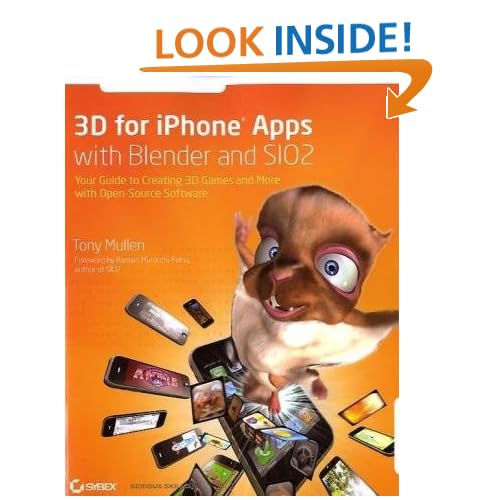
I’m currently using this engine and alongside I’m reading 3D for iPhone Apps with Blender and SIO2: Your Guide to Creating 3D Games and More with Open-Source Software . It’s a good read and easy to understand. Within a day I was already programming using the iPhone SDK and deploying simple programs using the iPhone Simulator. Check out my Flickr account for picture of my progress. SIO2 website also contains code from full games at a price if you want to hit the ground running.
. It’s a good read and easy to understand. Within a day I was already programming using the iPhone SDK and deploying simple programs using the iPhone Simulator. Check out my Flickr account for picture of my progress. SIO2 website also contains code from full games at a price if you want to hit the ground running.
Features:SIO2 Technology
Best Features: Free, 3D Game Engine, Blender support, C/C++, Great tutorials
Cost: Free with a splash image, $49 for one-game certificate
Website: SIO2 Free Open Source 3D Game Engine for iPad, Iphone and iPod Touch
Best Features: Free, 3D Game Engine, Blender support, C/C++, Great tutorials
Cost: Free with a splash image, $49 for one-game certificate
Website: SIO2 Free Open Source 3D Game Engine for iPad, Iphone and iPod Touch
Unity3D
Unity3D boasts a powerful game engine but at a high entry point. It mentions that if you can think it, you can build it using their engine. If price isn’t a concern, this is something you should think about. It doesn’t rank #1 for “3D Game Development iPhone” on Google for nothing.
Features:Unity3D iPhone Publishing
Best Features: Integrated Editor, Shaders, Physics, Graphical Power for OpenGL/DirectX, Networking, Documentation
Cost: $300 entry point
Website: Unity3D
Best Features: Integrated Editor, Shaders, Physics, Graphical Power for OpenGL/DirectX, Networking, Documentation
Cost: $300 entry point
Website: Unity3D
ShiVa3D
Seems promising as it allows you to develop on any platform such as WIndow, Mac, Linux and even allows you to port your games to Android phones or iPhones.

Features:ShiVa3D
Best Features: Free, 3D Render Engine, Network Support, Port ShiVa games to Mobile devices
Cost: Free
Website: ShiVa3D
Best Features: Free, 3D Render Engine, Network Support, Port ShiVa games to Mobile devices
Cost: Free
Website: ShiVa3D
Torque 2D
Torque 2D has one of the better websites which displays the power of its game engine.

Hospital Havoc
Features:Torque 2D
Best Features: WYSIWG 2D Editor at iPhone resolution, Texture Compression, Source included
Cost: $750
Website: Torque 2D
Best Features: WYSIWG 2D Editor at iPhone resolution, Texture Compression, Source included
Cost: $750
Website: Torque 2D
GameSalad
GameSalad mentions is the fastest and easiest way for game creation tool for the iPhone, iPad, and Mac. Red Block Remover is on their front page and seems to demonstrate the type of games that can be created using their engine. It’s supposed to be for non-programmers so if you want to create a game but don’t know how to program, you should give it a shot.

Features:GameSalad Creator
Best Features: No programming experience needed, Integrated Physics, Drag and Drop modules, Behavior Library
Cost: $99/year entry point, $1999/year for elite users
Website: Torque 2D
Best Features: No programming experience needed, Integrated Physics, Drag and Drop modules, Behavior Library
Cost: $99/year entry point, $1999/year for elite users
Website: Torque 2D
Bork3D Game Engine
Bork3D Game Engine is an engine that was built for mobile platforms which boasts performance. The website mentions its not a full-fledged game engine since it doesn’t offer the tools that other kits offer, it’s only meant for people with programming experience.
Features:Bork3D Game Engine
Best Features: OpenGL ES Abstraction, Debug-rendering API, Game-Orientated object system, Edit game state via web, Bullet physics SDK
Cost: $49 for Indy License, $199 for Professional License
Website: Bork3D Game Engine
Best Features: OpenGL ES Abstraction, Debug-rendering API, Game-Orientated object system, Edit game state via web, Bullet physics SDK
Cost: $49 for Indy License, $199 for Professional License
Website: Bork3D Game Engine
oolongenine
oolonggenine is an iPad/iPhone/iPod Touch Engine which is written in C++ and some Objective-C.
Features:oolongengine
Best Features: Free, Blender support, Bullet SDK, OpenAL Sound Engine, Memory Manager, Networking
Cost: Free
Website: oolongenine
Best Features: Free, Blender support, Bullet SDK, OpenAL Sound Engine, Memory Manager, Networking
Cost: Free
Website: oolongenine
Ogre3D
Okay, so you got me here. This isn’t really a game engine but more of a graphics engine. If you are familiar with Ogre then why don’t you try it out? I’ve used it before but decided a game engine would better suit my needs.
Overview
Before you settle on a game engine, make sure you weigh all your options! That is why I decided to compile this list. I’ll be constantly updating it so feel free to give me feedback. Also, let us know your experience with a game engine if you have any.
Tutorial: Unity iPhone – Getting Started – Tutorial 1
In my attempt to develop my first iPhone game, I thought I might use a game engine that will make the process as simple as possible. I started searching the internet for available iPhone game engines and stumbled upon Unity 3D. The games you can produce with Unity seem to look awesome.
I started the download of Unity 3D for the iPhone. Below you will find a link to download Unity 3D iPhone.
For most of you, if you’ve come to this page you may have already downloaded Unity iPhone and are now looking for tutorials to get started developing with Unity. If you’ve already launched Unity and had a look at the interface then you may have already started to become discouraged as it appears very daunting at first look.
As I am developing my very first game I will be posting tutorials so that other people will have a chance to learn. In this first tutorial I will briefly cover the Unity iPhone interface as well as how to set up the correct settings for building for the iPhone so that hopefully you will not run into too much trouble getting started.
........
Creación de una arquitectura de juego MMO simple y eficiente
Una implementación simple y elegante que proporciona la funcionalidad que necesita cualquier juego MMO.
Resumen: Hay una emoción creciente por parte de negocios, la educación y las instituciones gubernamentales, acerca de los juegos de mundos virtuales de massive multiplayer online (MMO) y sobre la forma en que pueden aplicarse a los negocios y a las necesidades educativas. Los juegos MMO ofrecen nuevas y tentadoras formas de aprender, entretener, colaborar, socializar, visualizar información y hacer negocios. En esta serie conocerá sobre una arquitectura b asada en el primer juego MMO en 3D de IBM, PowerUp. Este primer artículo comenzará mostrándole cómo construir una arquitectura eficiente y flexible para juegos MMO, que es rápida y fácil de implementar.
- Parte 1: Introducción
- Part 2: Gaming and Web integration
- Part 3: Capabilities and limitations
Resumen: Hay una emoción creciente por parte de negocios, la educación y las instituciones gubernamentales, acerca de los juegos de mundos virtuales de massive multiplayer online (MMO) y sobre la forma en que pueden aplicarse a los negocios y a las necesidades educativas. Los juegos MMO ofrecen nuevas y tentadoras formas de aprender, entretener, colaborar, socializar, visualizar información y hacer negocios. En esta serie conocerá sobre una arquitectura b asada en el primer juego MMO en 3D de IBM, PowerUp. Este primer artículo comenzará mostrándole cómo construir una arquitectura eficiente y flexible para juegos MMO, que es rápida y fácil de implementar.
- Parte 1: Introducción
- Part 2: Gaming and Web integration
- Part 3: Capabilities and limitations
Suscribirse a:
Comentarios (Atom)